

 16 min
 Email marketing for small businesses packs a big punch. And honestly, it’s not nearly as complicated as it looks from the outside. This guide cuts through the noise: you’ll see why email works better than social media for staying visible and getting actual results, how to pick a tool, what kinds of emails to send, how to set up your first welcome sequence, and ways to grow your list from day one. Whether you’re starting from scratch or just getting serious, this is your step-by-step to doing email right.
What is email marketing for small businesses?
Think of email marketing as a direct conversation with people who already care—folks who handed over their email because they want to hear from you. You’re not shouting into the void; you’re giving helpful nudges to people who are already interested.
Email covers a lot, from “Hey, welcome!” messages after someone books an appointment, to monthly newsletters, to quick notes about an open spot or last-minute deal. You can keep it simple or build out a fancy campaign—up to you.
Small businesses across the UK and EU get a lot out of email.
- It’s more personal than a social post
- It gets straight to your reader (unlike a blog lost in Google)
- It costs a lot less than ads
- You own your list. Nobody else controls who sees your stuff or can shut you down overnight.
Why email marketing matters for small businesses
Let’s deal with the elephant in the room first. Email feels like it belongs to a different era, somewhere between fax machines and loyalty stamp cards. But is it really the case?
It delivers a serious return
The DMA’s Marketer Email Tracker 2026 puts the average return at £41 for every £1 spent. For a small business watching every pound, that number deserves a second look.
It gets people to buy
It’s also where your customers make purchasing decisions. The DMA’s Consumer Email Tracker 2023 found that 64% of people rank email first for finding out about discounts and offers, and 53% rank it first for hearing about new products and services. So when you’ve got a new treatment to promote, a seasonal slot to fill, or a recommendation worth sharing, email puts it exactly where people go to act on those things.
You actually reach your audience
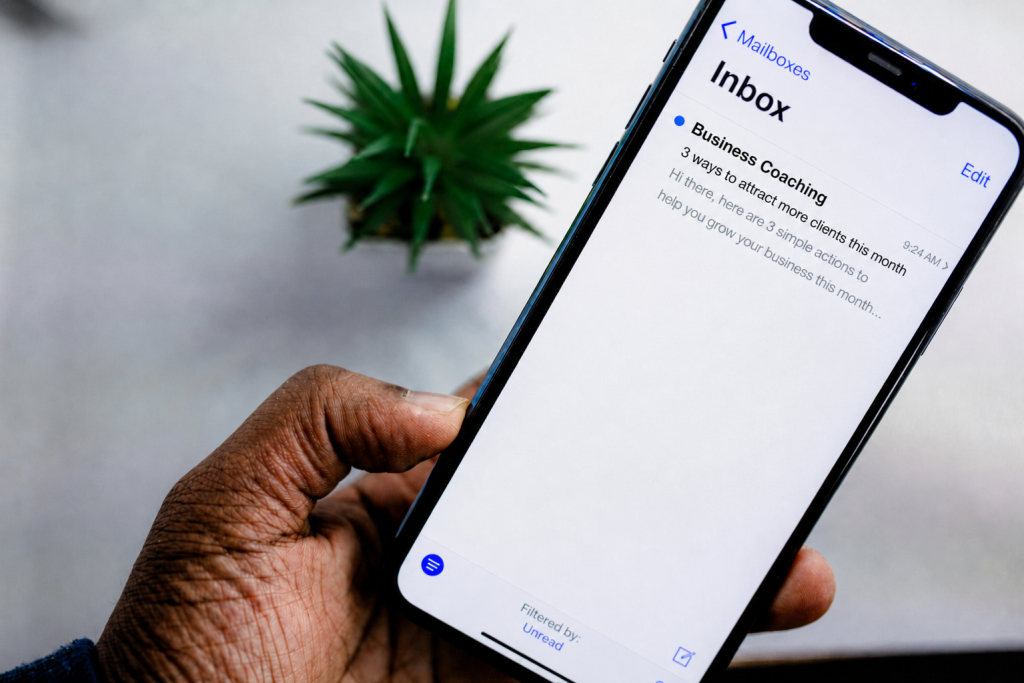
Social media has its place, but it comes with a catch. Algorithms decide how much of your audience actually sees what you post. Email sidesteps that entirely. The person on your list chose to be there, and your message lands in their inbox without competing for space in a crowded feed.
It feels personal
When someone opens your email, there’s no doom-scroll happening around it. You can welcome a new client, send a genuinely useful tip, or remind someone who hasn’t booked in a while that you’re still there. It reads more like a conversation than a broadcast.
You own your list
And unlike a social platform, your list belongs to you. Algorithms change. Platforms fade. But the people who signed up to hear from you? They stay put. That direct relationship is what makes email worth building, whether you’re just starting out or trying to bring lapsed clients back.
Before you start: the rules in the UK and EU
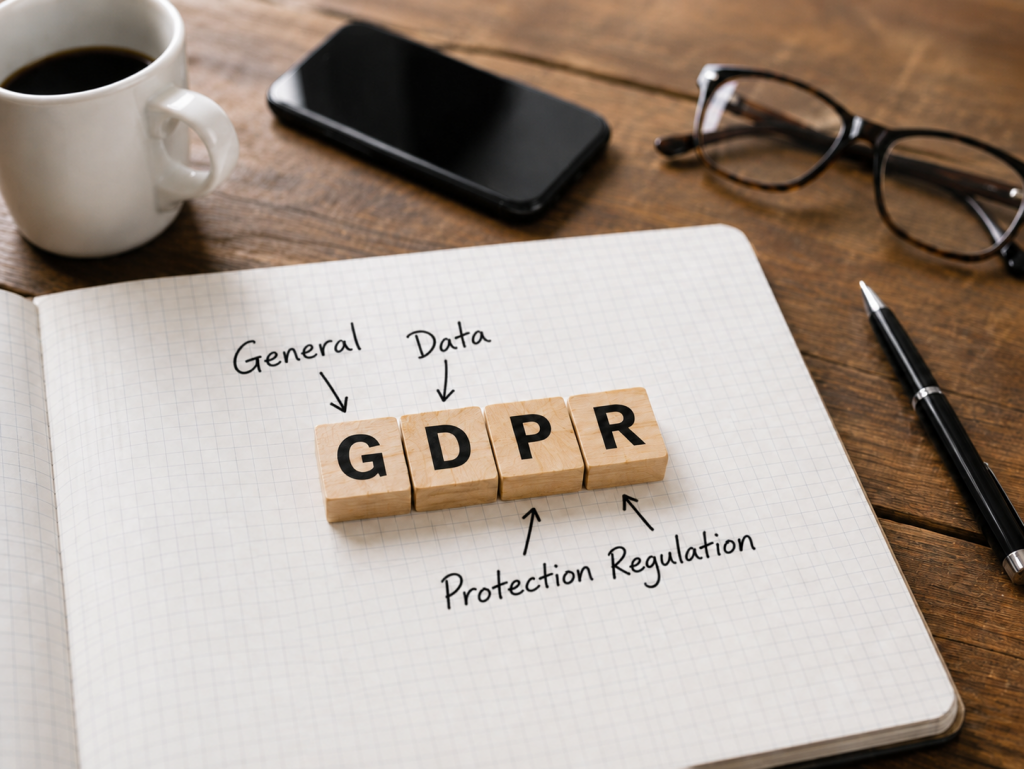
UK businesses need to stick to UK GDPR and PECR, while the EU follows EU GDPR plus national laws. The bottom line? Only send marketing emails to people who actually asked for them.
Get explicit permission
Don’t add people to your list unless they’ve asked for it. Make it obvious and don’t hide permission inside boring T&Cs.
Yes, I want emails from you.
No pre-ticked boxes — a checkbox that’s already marked doesn’t count. They actually need to tick it themselves.
Double opt-in — send a confirmation email after sign-up, so people have to verify before you add them to the list. Not a must by law, but it keeps your list clean and keeps you out of the spam folder.
Always add an unsubscribe link — every email should have a clear way to unsubscribe. Most email platforms do this automatically, but always double-check.
Don’t ever buy lists
Buying contacts is a fast track to the spam folder and legal headaches. You need consent, and those lists just don’t have it.
Existing customers: soft opt-in
You can sometimes email customers about related stuff, as long as you gave them a clear opt-out, both when you got their info and in every email since. If you’re not sure—just ask for proper consent.
This is general guidance only and is not legal advice. Email marketing, privacy and consent rules can vary depending on where your business and customers are based, including under GDPR, PECR and other local regulations. If you’re unsure what applies to your business, speak to a qualified legal professional or check your national data protection authority.
Step 1: Define your goal
Before you even sign up for a tool, ask yourself: What do I want my emails to actually do? Without a goal, you’ll send a few blasts, lose motivation, and call it quits.
Some starting goals:
- Get past customers to come back more often
- Turn enquiries into bookings
- Stay in people’s minds between purchases
- Announce seasonal deals or new services
- Build relationships with people who aren’t ready to buy yet
You only need one clear goal to start. That’ll shape everything you do next.
If you haven’t mapped out your broader marketing goals yet, our guide to building a marketing plan for small businesses is a good place to start.
Step 2: Know your audience
Emails feel best when they sound like you’re writing for one person, not the whole world. Picture your best customer. What do they love? What do they struggle with? What questions keep coming up?
If you work with different groups, like regulars and newbies, you’ll eventually want to tailor messages to each. For now, just pick your main audience and focus on them.
Step 3: Pick a beginner-friendly email tool
You’ll need an email platform (not your regular inbox). Start with something like MailerLite, Mailchimp, or Kit (formerly ConvertKit). They all have free versions, easy forms, and cover compliance basics.
Pick a platform that lets you:
- Set up signup forms for your website
- Create automated welcome emails
- See who opens and clicks
- Use double opt-in and easy unsubscribes
Try a few, see which one feels easiest to use, and get started.
Step 4: Plan your content
Don’t wing it. Before you start blasting emails, jot down some ideas.
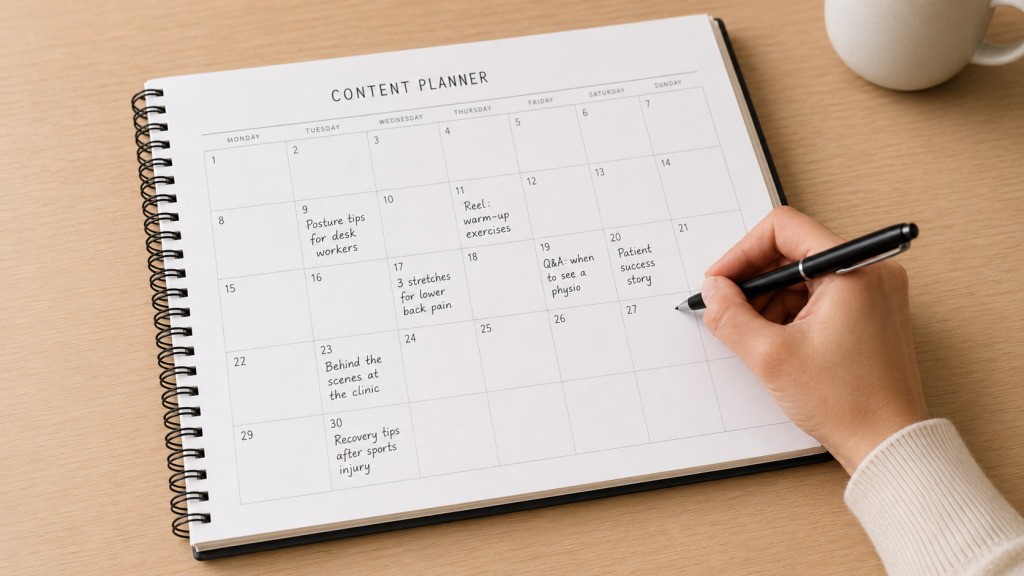
Mix two kinds of content:
- Value emails: Tips, how-to guides, answers to common questions, seasonal advice. These build trust.
- Promotions: Discounts, new services, special offers, news. This is where you drive sales.
For every promo email, send two or three helpful ones. If you’re stuck, think about what clients ask most. If one person’s asking, others want to know too.
Step 5: Grow a list of the right people
Quality over quantity. Don’t just chase numbers—fill your list with people who care.
Ways to grow your list:
- Put a signup form somewhere obvious on your website (homepage, footer, blog posts). Tell people clearly what they’re getting.
- Ask in person. If you run a physical business or meet clients, invite them to join. Sweeten the deal with a small freebie, discount, or perk.
- Use social media. Share a signup link in your bio or video descriptions. Make it easy for your current fans to join.
- Offer a lead magnet. This is just a useful freebie (a guide, checklist, or discount) in exchange for an email. The more targeted and useful, the better.
And don’t forget: always get explicit consent (see the rules above) before anyone joins your list.
Step 6: Write a welcome sequence
A welcome sequence is a short string of emails that go out automatically to new signups. It’s hands down your most important sequence—it hits when subscribers are most eager.
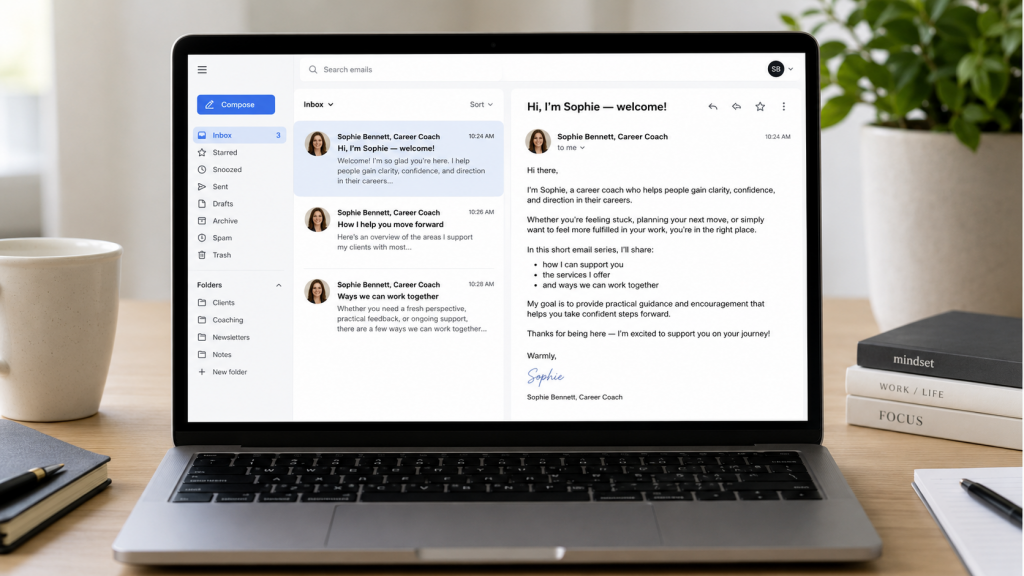
Have at least three emails ready before you start pushing people to sign up.
Email 1: Introduce yourself
Who are you? What will you send, and why should they bother opening? Be friendly. If you offered a freebie, deliver it right away.
Email 2: Get personal
Share more about what you do and how you help. Toss in a quick tip they can use immediately. Ask what their biggest challenge is and invite them to reply—these responses will spark endless ideas.
Email 3: Talk about your services
Share a story of how you helped someone (with permission). Let them know what you offer without a hard sell.
Step 7: Stay consistent
The magic isn’t in how often you email, but in showing up when you say you will. Whether it’s once a month or every week, pick a cadence you can actually stick to.
And if you miss a week? Don’t send a long apology—just get back on track and keep going. People notice value, not gaps.
Step 8: Watch the numbers
After a few weeks, start checking your platform’s stats:
Open Rate: Shows how many people open your emails. Tweaking subject lines can boost this—keep them specific or spark curiosity. Remember, privacy settings mess with these numbers a bit.
Click-Through Rate (CTR): This tells you if your content inspires action—are people clicking your links?
Unsubscribe Rate: If this jumps after a certain email, take the hint—maybe it wasn’t relevant or you’re emailing too often.
Reply Rate: This one’s trickier to track, but it’s a great sign when people hit reply. These exchanges boost engagement and help your emails avoid spam folders.
Don’t fixate on stats right away. Focus on consistency, then tweak based on what you see over time. A small bump in opens adds up fast as your list grows.
Types of marketing emails for small businesses
Different emails do different jobs—some build trust, some boost bookings, some just remind people you exist. Here’s what tends to work for small businesses and when to use each type.
Welcome emails
This first message sets the tone. Say hi, explain what’s coming, and—if you promised a freebie—deliver it straight away. Start off warm and friendly; no need to pitch right out of the gate.
Most email platforms let you automate this so every new subscriber gets it instantly.
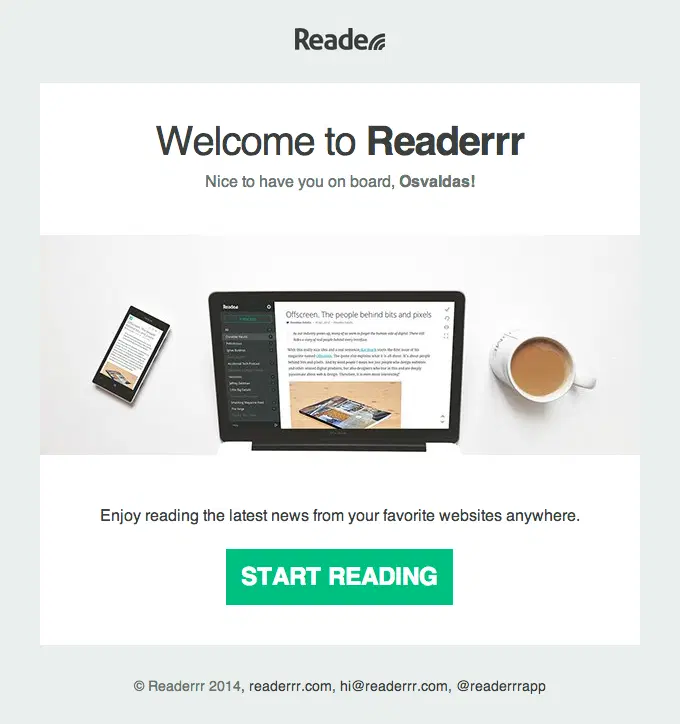
For example, Readerrr keeps its welcome email simple and focused: it greets the subscriber by name, shows the product in use, and sums up the benefit in one sentence. The prominent “Start Reading” button gives the reader one clear next step, while the clean design makes the message feel friendly rather than sales-heavy.
Helpful tips & educational emails
These build trust. Answer a common client question, bust a myth, or share a quick win. What do you wish more customers knew about your work? Start there.
Examples for a physio:
Five habits that make your back pain worse.
Example for a salon:
How to make your gel manicure last longer.
You probably have more content than you realise. Start with the questions people ask face to face.
Newsletters
A good newsletter keeps you on people’s radar, even if you’re not pushing a sale. Think updates, a helpful tip, or just a peek behind the scenes. It doesn’t have to be fancy—just sound like you.
These work especially well for coaches, consultants, or any service where relationships matter.
Promotions and offers
Emails with exclusive deals or limited offers drive action. Just don’t overdo it: if every message is a pitch, people will check out. A good rule—after every promo, send two or three value-driven emails.
Announcements and events
Launching something new? Hosting a workshop? Changing locations? Tell your list first and make them feel like insiders. This builds loyalty and gives people a reason to spread the word.
When you send these, stick to one announcement per email, keep it focused, and make the next step clear.
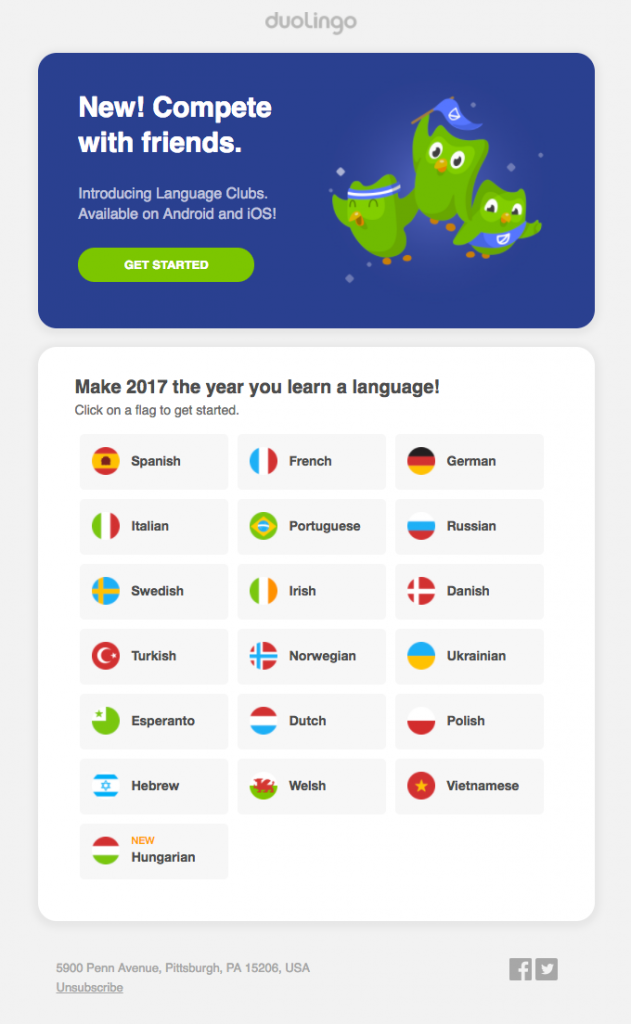
Duolingo’s announcement email keeps its message simple and easy to act on and immediately explains what is new and why it is exciting. The playful character illustration and bright green “Get Started” button make the launch feel fun and inviting, while the language choices below give readers an immediate next step. It is a good example of an announcement email that introduces one clear feature, gives it personality, and guides people straight into trying it.
Reviews and referrals
Your current customers are honestly your best marketing team. Email gives you a direct line to turn a good experience into a glowing review or a referral—and it doesn’t take much effort.
A quick email after an appointment or purchase, just checking in and asking for a review, goes a long way. Happy customers usually don’t mind sharing good feedback, but you have to ask, and you have to make it easy.
Referral emails work the same way. If you have (or want to create) a referral program, tell your current customers about it via email. They already trust you—they’re the best people to spread the word.
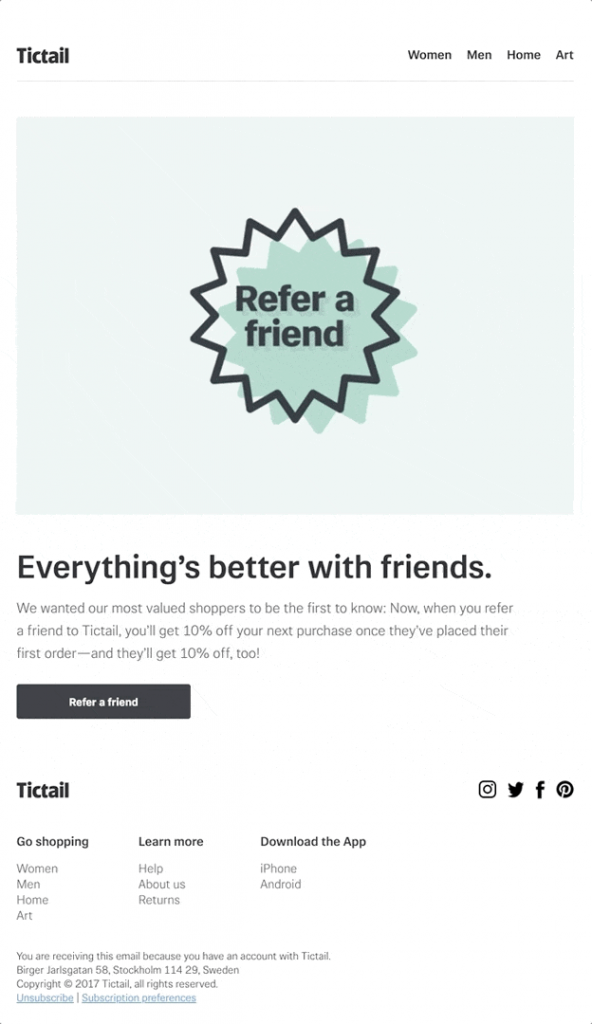
Tictail’s “Get 10% off for referring a friend!” email is a solid example. It’s got a clear reward, an easy step, and obvious value for sharing.
Re-engagement emails
Sometimes subscribers don’t unsubscribe, they just stop opening your emails. Send a re-engagement email—it’s a simple way to check in and maybe bring them back.
Keep it casual and honest.
We haven’t heard from you in a while—still want to stay in touch?
Give them clear options to stay or leave. It sounds odd, but encouraging quiet subscribers to unsubscribe actually helps you. Your list stays healthier, your open rates go up, and you only pay for people who want your emails.
If you send a couple of these emails and still hear crickets, go ahead and take them off your list.
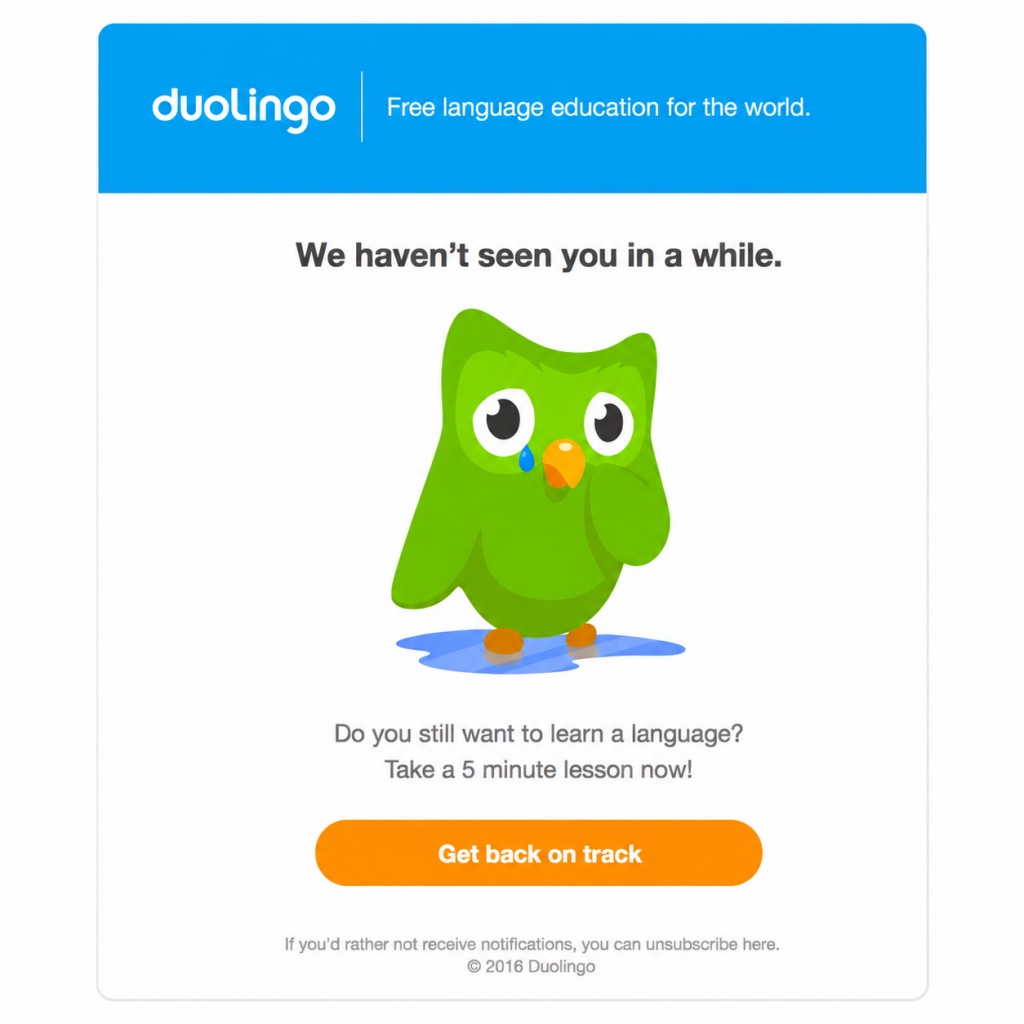
Duolingo’s “We miss you!” is a classic example—short, friendly, and focused on bringing back users. For your business, you could write, “Still interested in hearing from us?” or “Need help getting back on track?”
Automated emails
You set them up once, and they go out on their own when someone takes an action or at a certain time.
Here are the automations that work well for small businesses:
- Welcome sequences—send a short series when someone joins your list.
- Booking confirmations and reminders—connect your email tool with your booking system to cut down on no-shows and admin.
- Post-appointment follow-ups—a thank-you email right after a visit (ask for a review or offer to rebook).
- Abandoned enquiry sequences—when someone fills out a form but doesn’t book, send a gentle follow-up.
- Birthday or anniversary emails—small, personal touches go a long way and take almost no effort to set up.
TurboTax’s “Appointment Confirmation” email shows how these automations support the customer journey after someone takes action. Confirmation, reminders, follow-ups—they all make life easier and improve the customer experience.
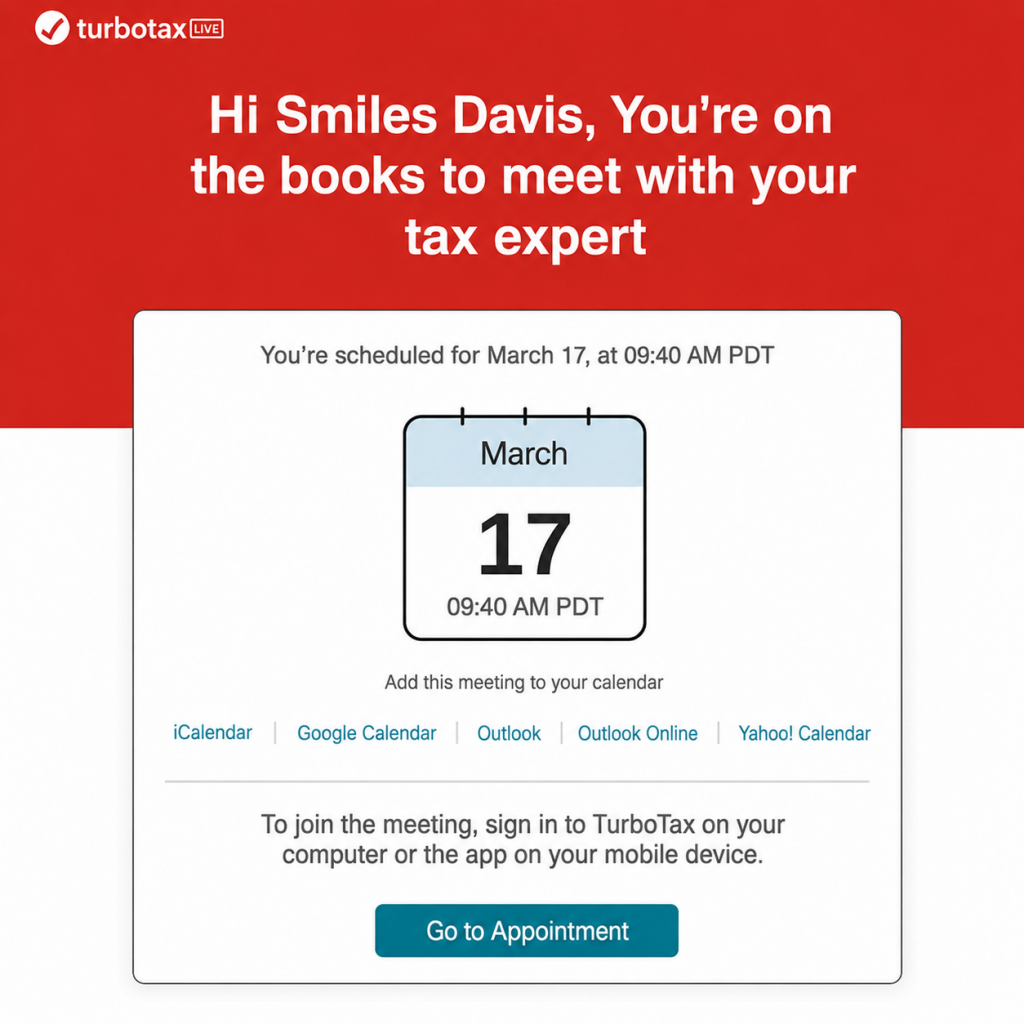
Don’t feel like you need every automation right away. Start with your welcome sequence, then add more as you get comfortable.
Quick tips for improving email deliverability
Writing solid emails is just step one. Making sure they land in someone’s inbox (and not spam) is just as important. Deliverability sounds technical, but the basics are simple:
Use a professional email address
Sending from Gmail or Hotmail looks sketchy to inbox providers. Go with something like hello@yourbusiness.com, and follow your email tool’s instructions to verify your domain (SPF, DKIM, maybe DMARC records). That signals you’re legit.
Don’t buy email lists
Only email people who want to hear from you. Sending to strangers gets you flagged, increases bounces, and drags your reputation down.
Keep your list clean
Remove addresses that bounce all the time and clear out people who haven’t opened anything in six months. A smaller, active list always trumps a giant, idle one.
Write real subject lines
Avoid “FREE!!!” and “ACT NOW”. All caps and shouty words are spam folder bait. Subject lines should be clear, specific, and sound like something you’d actually send a person.
Ask new subscribers to add you
Just a line in your welcome email helps your emails stay visible.
Add hello@yourbusiness.com to your contacts so you never miss an update.
Send on a regular schedule
Inbox providers look for consistent patterns. An account sending randomly (nothing for months, then a blast) will look fishy. Regular, predictable sends—even monthly—boost your reputation.
Make sure your emails work on phones
Most people open emails on their phones. If your layout breaks or the text is tiny, people won’t bother reading and repeated deletes hurt your performance. Always preview the mobile version before hitting send.
Ready to level up your marketing?
Email is a great starting point, but it’s just one piece of the picture. If you’re ready to get more organised with your marketing, Peerie has your back—clear plans, ready-to-use templates, and resources built for small businesses. No agency fees. No guesswork. Just a simple system to help you grow.
Check out Peerie’s marketing plans →
FAQs about email marketing for small business
How often should I send marketing emails as a small business?
There's no magic number. Once a month is enough to stay visible without overwhelming people. Once a week works if you've got something genuinely useful to say each time. The key is picking a cadence you can stick to — inconsistency does more damage than low frequency.
Do I need a big list before email marketing is worth it?
No. Even a list of 50 engaged people is worth more than 5,000 who never open anything. Start with whoever you have, focus on sending emails they actually want to read, and the list will grow from there.
What's the difference between a newsletter and a marketing email?
A newsletter tends to be regular and relationship-focused — updates, tips, things worth knowing. A marketing email is more direct: a promotion, an offer, a specific call to action. Most small businesses send a mix of both, which is exactly right.
Can I add my existing clients to my email list?
In the UK, the "soft opt-in" rule means you can sometimes email existing customers about similar products or services, as long as you gave them a clear opt-out when you collected their details and in every email since. If you're unsure whether that applies, ask for explicit consent. It's cleaner and keeps you on the right side of UK GDPR. This is general guidance only and is not legal advice. Email marketing, privacy and consent rules can vary depending on where your business and customers are based, including under GDPR, PECR and other local regulations. If you’re unsure what applies to your business, speak to a qualified legal professional.
What should I write about if I'm not sure what to send?
Start with the questions your clients ask most. If one person's asking, others are wondering the same thing. A short, useful answer to a real question makes a better email than any promotion — and it takes less time to write than you think.